
Continuous IT monitoring with professional RMM
Complete visibility into every device, server, and network in your business. Proactive alerts, task automation, and monthly executive reports.

— THE SERVICE
We know what's happening before you get the first complaint
Most reactive businesses find out about IT problems when an angry user calls or a server has already crashed. By the time that call arrives, there's lost productivity, compromised data, or unhappy customers. Proactive monitoring changes that equation: we see early symptoms and act before the problem impacts.
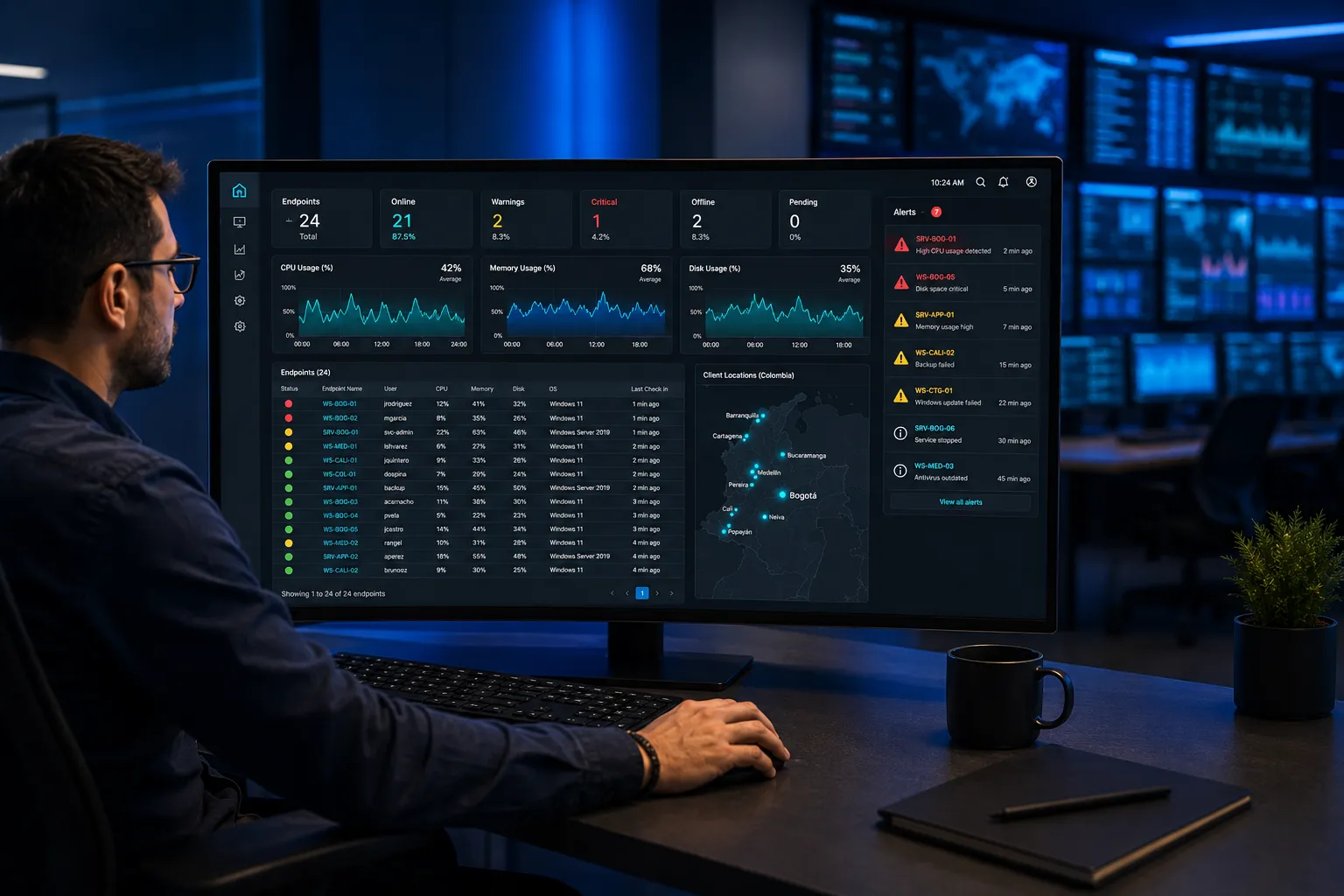
RMM (Remote Monitoring & Management) is our central platform for managing customer device fleets. We install a lightweight agent on each endpoint and server that reports to our monitoring center: CPU, RAM, disk, temperature, missing patches, unauthorized software, security events, network connections. continuously, 365 days a year.
On top of that data, our team configures intelligent alerts — not "everything that moves," but thresholds calibrated to minimize false positives. When an important alert fires, a technician responds in minutes. Most problems are resolved before the user notices.
RMM also enables automation: monthly Windows patches applied without intervention, remote software installation, antivirus updates, maintenance scripts (temp cleanup, defrag, log review). This reduces support operational cost and frees time for strategic topics.
Each month we deliver an executive dashboard: fleet health (% healthy devices), incidents resolved vs escalated, top 10 devices with recurring issues, patches applied vs pending, operational savings from automation. Your management sees IT with metrics, not anecdotes.
— PROCESS
How managed IT monitoring works
- 01
RMM agent deployment
We install the agent on each device. Initial configuration without restart.
- 02
Alert calibration
We define thresholds based on your operational reality. We iterate the first month to reduce noise.
- 03
Continuous operations
Continuous monitoring. Alert attention per SLA. Progressive task automation.
- 04
Executive report + adjustments
Monthly dashboard. Session with stakeholders to prioritize next cycle improvements.
— FAQ
Frequently asked questions about IT monitoring
Is the RMM agent invasive?
No. It uses ~50-100 MB RAM, <2% CPU, and ~5 MB of network per day. It's practically invisible to the user. It doesn't access files or capture screens — it just reports system metrics and allows remote execution when authorized.
Can you see my files or what I do on screen?
Not by default. RMM collects technical metrics (CPU, disk, network, patches, installed software). Remote screen access only starts with the user's explicit consent in their session (approval window). Full traceability of every remote session.
What happens if a device disconnects?
The agent stores metrics locally and syncs when it reconnects. If a device stays offline more than 24 hours, an alert fires for us to verify why (user vacation, damaged equipment, etc.).
Do you handle patches during office hours or only at night?
By default, non-critical patches are applied after hours (typically 2-4 AM Colombia time). Critical security patches are applied immediately. Schedule adjusts per device (e.g., production server only patched in coordinated window).
Can you monitor cloud servers or only on-prem?
Both. The agent works on Windows, Linux, macOS, physical or virtual machines, on-prem or cloud (Azure, AWS, GCP). For native cloud services (Azure SQL, S3, etc.), we use the provider's APIs.
"They feel like part of our company. They prevent more than 40 attack attempts every month."
— COMPANIES THAT TRUST US